Executive Summary & Quick Verdict
Winner: Crypto.com Card. A no-subscription Basic tier, fiat funding and Level Up rewards offer broader flexibility.
Choose Oobit if: You want connected-wallet spending without preloading and eligible stablecoin cashback.
Choose Crypto.com Card if: You prefer prepaid spending, fiat funding and qualifying rewards or travel benefits.
The Bottom Line: Oobit favors wallet payments; Crypto.com offers broader prepaid features. Plasma One is a strong alternative for non-custodial stablecoins, tiered cashback and optional Earn.
Oobit vs Crypto.com Card at a Glance
Feature | Oobit | Crypto.com Card |
Card Network | Visa | Visa prepaid in most supported markets; Mastercard prepaid in Bahrain |
Custody Model | DePay spends from a non-custodial external wallet; balances deposited into an Oobit account have separate custody terms | Custodial Crypto.com App and issuer-managed prepaid balance; Crypto.com Onchain is a separate wallet |
Yield / Return on Balance | No standard yield on idle card balances publicly disclosed | No yield on loaded prepaid card funds; separate Crypto Earn offers variable flexible or fixed-term rewards (where available) |
FX / Conversion Fees | 1% card-payment fee (minimum $0.25 in most markets); non-USD purchases may add a 1.5% conversion fee | Region and tier dependent: US Basic, Plus and Pro charge 3% on non-USD spending; EU Basic charges 0.2% on non-EUR spending within the EU/UK and 2% outside; higher tiers vary |
Crypto Conversion Fee | Separate crypto swaps cost 0.95% (3% when swapping into OOB); card payments use a displayed conversion quote | Crypto top-ups convert at an in-app quote; spreads or administrative charges may apply, with no single fixed global rate |
Staking / Lock-In Required | No token lock for basic card use; promotional rewards depend on eligible spending assets | None for Basic; higher rewards require Level Up subscription or CRO stake/lock, typically for 12 months |
Regional Availability | 80+ countries; Oobit says its app is available in all 50 US states; eligibility varies by region | Separate card programs in the US, UK, Europe, Canada, Australia, Singapore, and selected other markets; local eligibility applies |
Fees, rates and limits as of November 2026. Terms vary by region and may change.
Oobit vs Crypto.com Card: Key Differences
1. Fees & Costs
Oobit charges 1% per card payment, with a $0.25 minimum in most markets. There is no standard monthly fee, but non-USD spending may add 1.5%.
Separate crypto swaps cost 0.95%, or 3% when buying OOB. That exchange charge is not an additional fixed fee on every card purchase.
Crypto.com Basic has no standard card subscription or CRO lock, though top-ups, conversions and ATM withdrawals may incur fees.
In the US, Basic, Plus and Pro charge 3% on non-USD transactions. EU Basic charges 0.2% on non-EUR spending within the EU/UK and 2% outside.
Crypto.com does not charge a standard card-payment fee for same-currency purchases, while Oobit charges 1% on each purchase, subject to a minimum in most markets. FX costs, funding methods, and local fees determine which card is cheaper overall.
2. Yield, Cashback & Rewards
As of November 2026, Oobit advertises 5% cashback on eligible USD₮/USDC purchases and 10% token rewards when spending OOB, with stablecoin rewards paid in USD₮ or USDC. Rewards cannot be withdrawn or transferred and can only be used for Tap to Pay payments in the Oobit app.
The 5% rate covers only the first $200 of qualifying monthly spend, worth up to $10 cashback. OOB rewards have their own caps and require spending a volatile token.
Oobit does not advertise a standard yield product for idle card balances. Cashback rewards spending, not money sitting in the account.
Crypto.com Basic earns no routine cashback on its Prepaid Card. Level Up Plus offers 1.5% CRO rewards on the first $750 of qualifying monthly spending, while Pro offers 2.5% on the first $1,500.
Private tiers offer 3.5% on the first $3,000 or 4.5% on the first $5,000, before stepping down to 0.5% or 1%, respectively. Rates and eligibility vary by region.
Those higher tiers involve subscriptions or CRO commitments. Crypto Earn provides separate variable returns, but loaded prepaid balances do not automatically earn interest.
Oobit rewards small stablecoin purchases well. Crypto.com has larger reward bands, with membership and CRO costs.
3. Custody, Security & Control
Oobit lets users spend from supported non-custodial external wallets through DePay. Wallet assets remain controlled by users until payment authorization.
Its in-app account is different: deposited crypto follows custodial terms. Card processing also relies on an issuer and other payment partners.
Crypto.com uses a custodial App account and issuer-managed prepaid balance. Crypto.com Onchain is a separate non-custodial wallet, not the prepaid card's custody model.
Oobit leads for direct wallet spending. Crypto.com suits users who prefer managed prepaid funds and a conventional card-funding workflow.
4. Usability & Regional Availability
Oobit supports BTC, ETH, USD₮, USDC and other eligible assets, with virtual Visa payments through Apple Pay or Google Wallet where supported.
It offers local payments and bank payouts. US app access spans all 50 states, though card eligibility varies.
Crypto.com combines cards with fiat deposits, crypto trading and bank transfers in its App. Regional programs cover the US, UK, Europe, Canada, Australia and Singapore.
Crypto.com offers physical cards and ATM withdrawals. Its prepaid card must be funded before spending, unlike Oobit’s connected-wallet payments. Issuance and rewards vary by country.
Pros & Cons Comparison
Oobit
Pros:
Direct spending from supported non-custodial wallets
Free virtual card with no standard monthly membership fee
Stablecoin cashback on eligible purchases without token staking
Broad asset support and Apple Pay or Google Wallet compatibility
Cons:
1% card fee and possible additional non-USD conversion charge
Stablecoin cashback applies to a small monthly spending band
In-app crypto balances follow custodial terms; card eligibility varies
Crypto.com Card
Pros:
Basic tier with no subscription or CRO lock
Fiat and crypto funding through a broader financial App
Level Up cashback and lifestyle benefits at qualifying tiers
Regional physical cards and ATM withdrawals
Cons:
Custodial account and issuer-managed prepaid balance
Higher rewards need subscriptions or CRO commitments
FX, top-up, and ATM costs depend on country and tier
Where Both Cards Fall Short
Both have conditional cashback. Oobit caps eligible spending by asset; Crypto.com requires Level Up qualification for higher rates.
Both have conversion and cross-border costs that depend on funding routes and local schedules.
Both rely on card issuers and payment partners. Merchant acceptance does not guarantee local card access.
The Dilemma: Oobit lets eligible users spend directly from a wallet and earn attractive rewards on limited spending. Crypto.com offers more prepaid funding and membership features, but its higher rewards come with additional commitments.
Why Choose Plasma One Over Oobit and Crypto.com Card?
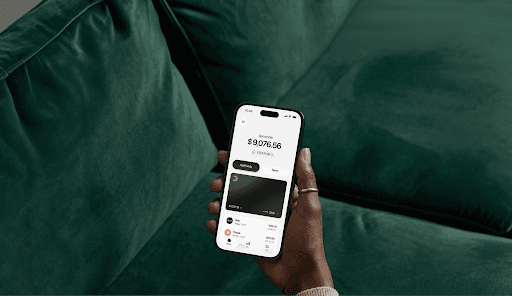
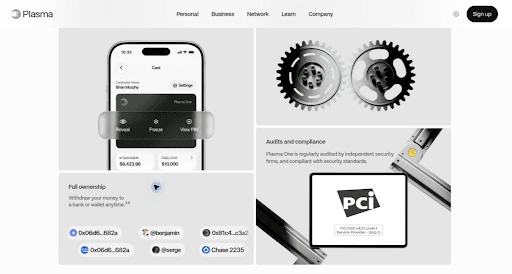
Plasma One brings non-custodial stablecoin balances, Visa spending and optional Earn into one account, rather than an external-wallet payment tool or a managed prepaid balance.
1. Non-Custodial Stablecoins in a Card Account
Plasma One does not custody the stablecoins backing its card. Crypto.com's prepaid funds are issuer-managed, while Oobit's in-app balances follow custodial terms.
Oobit also connects to non-custodial wallets. Plasma's distinction is integrating wallet control with a stablecoin-focused card account, subject to regional and issuer rules.
2. Cashback Bands Beyond Oobit's Small Stablecoin Cap
Plasma One Standard pays 1% XPL cashback on the first $500 of monthly spend. Premium pays 2% on the first $1,000 and Platinum 3% on the first $3,000 before stepping down.
Oobit offers a higher 5% rate on just $200 of eligible stablecoin spend. Plasma's paid tiers have larger top-rate bands, while Crypto.com's higher rewards require Level Up qualification.
Standard needs no lock. Premium costs $600 a year or 20,000 XPL locked for 12 months; Platinum costs $2,500 a year or 100,000 XPL locked for 12 months. XPL rewards can fluctuate in value.
3. Optional Earn and In-App Bank Transfers
As of November 2026, Plasma One offers variable yield through optional Earn. Funds must return to Cash before spending; third-party DeFi carries principal-loss risk.
Oobit does not publish a comparable standard balance-yield product. Crypto Earn exists separately from prepaid card funds.
Plasma also supports in-app bank on/off-ramps in eligible regions, with tiered fees, alongside stablecoin transfers and card spending.
Three-Way Head-to-Head Matrix
Feature | Oobit | Crypto.com Card | Plasma One |
Card Network | Visa | Visa prepaid in most supported markets; Mastercard prepaid in Bahrain | Visa |
Custody Model | DePay external wallet is non-custodial; in-app account balances have separate custody terms | Custodial Crypto.com App and issuer-managed prepaid balance; Crypto.com Onchain is a separate wallet | Non-custodial (you own and custody your stablecoins) |
Yield / Return on Balance | No standard yield on idle card balances publicly disclosed | No yield on loaded prepaid card funds; separate Crypto Earn offers variable flexible or fixed-term rewards (where available) | Variable, not guaranteed, via opt-in Earn |
FX / Conversion Fees | 1% card payment (minimum $0.25 in most markets); non-USD payments may add a 1.5% conversion fee | Region and tier dependent: US Basic, Plus and Pro charge 3% on non-USD spending; EU Basic charges 0.2% on non-EUR spending within the EU/UK and 2% outside; higher tiers vary | Standard: ~2% total (1% Plasma + ~1% Visa); Premium: 0% FX on up to $3,000/month of card spend, Visa fee included; Platinum: 0% FX fee, Visa exchange rate applies |
Staking / Lock-In Required | No token lock for basic card use; cashback depends on eligible payment assets | None for Basic; higher rewards require Level Up subscription or CRO stake/lock, typically for 12 months | None on Standard; Premium $600/yr or 20,000 XPL locked for 12 months; Platinum $2,500/yr or 100,000 XPL locked for 12 months |
Regional Availability | 80+ countries; Oobit says its app is available in all 50 US states; eligibility varies by region | Separate card programs in the US, UK, Europe, Canada, Australia, Singapore, and selected other markets; local eligibility applies | Most countries; 7 unsupported and ID-document restrictions in others. 31 US states |
On / Off-Ramp | External-wallet DePay, crypto transfers and bank payouts; fees vary by destination | Regional fiat bank deposits/withdrawals, including US ACH, EUR SEPA, and UK Faster Payments; crypto-to-fiat card top-ups | In-app bank on/off-ramps (USD, EUR, GBP, MXN, BRL, COP); tiered fees apply |
Fees, rates and limits as of November 2026. Terms vary by region and may change.
Final Verdict: Which Should You Pick?
Crypto.com Card wins for eligible mainstream users. Its no-subscription Basic tier, fiat funding and qualifying Level Up rewards offer a broader prepaid spending experience.
Choose Oobit for non-custodial connected-wallet payments and stablecoin cashback without prepaid loading. Its purchase fees and cashback cap matter.
Choose Crypto.com Card for prepaid budgeting, varied funding routes and tiered perks. Compare local FX charges and Level Up costs.
Choose Plasma One for non-custodial stablecoin balances, defined cashback bands and optional Earn in one account.
How to Get Started With Plasma One
Download Plasma One: Install the app, check regional eligibility, and complete identity verification to access the available virtual card.
Deposit Stablecoins: Fund your non-custodial balance and optionally move eligible funds into Earn for variable yield.
Start Spending Globally: Add the card to Apple Pay or Google Pay where supported and pay wherever Visa is accepted, subject to local fees and limits.